Instagram feed is a great feature for a website, especially for coaches, instructors, speakers, influencers, and authors. They update their life, business, offers, and share outstanding content on Instagram to grab the audience, and they also add their Instagram presence on the website so that website visitors can also see their Instagram feed on the website and follow them.
I will explain the easiest way to add an Instagram feed in a professional way.
Let’s start.
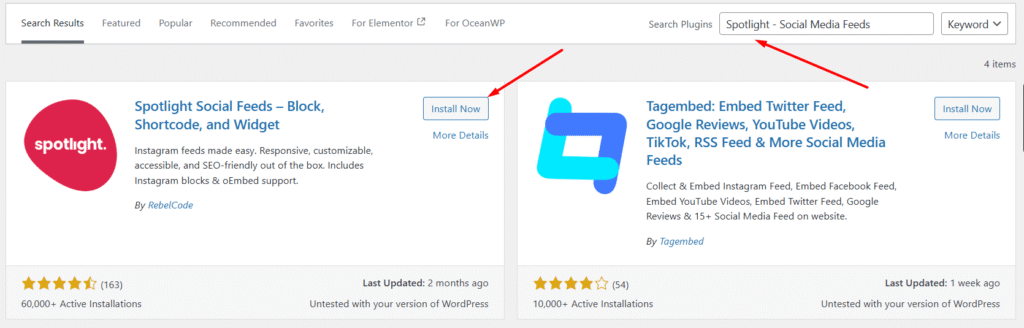
First, log in to your WordPress dashboard and go to Plugins → Add New Plugin and search for Spotlight Social Media Feeds. You can use other plugins, but this plugin’s interface, settings, and process are really simple and cool.
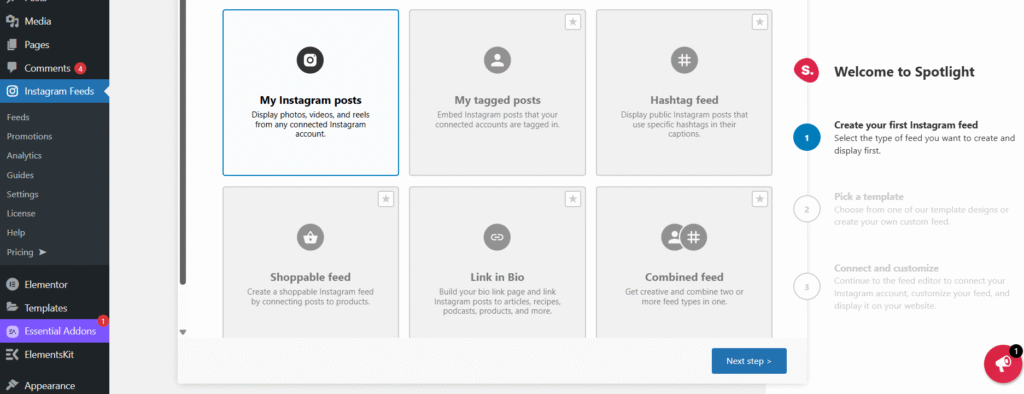
Now, click on Feeds and do the steps like this:
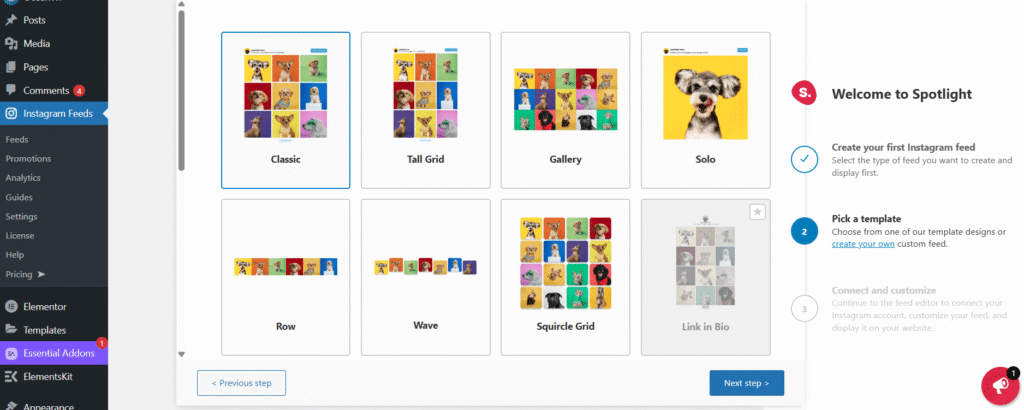
My Instagram Posts → select the style (Classic is nice) → click Connect and Customize.
Click on the right-side button called Basic – Connect via Instagram.
You can also connect using the Advanced button, but let’s do it with Instagram. When you click on the button, a popup will appear asking for permission — just click on Allow. Then your existing logged-in Instagram account will be connected.
Remember: before you do these steps, log in to your Instagram account.
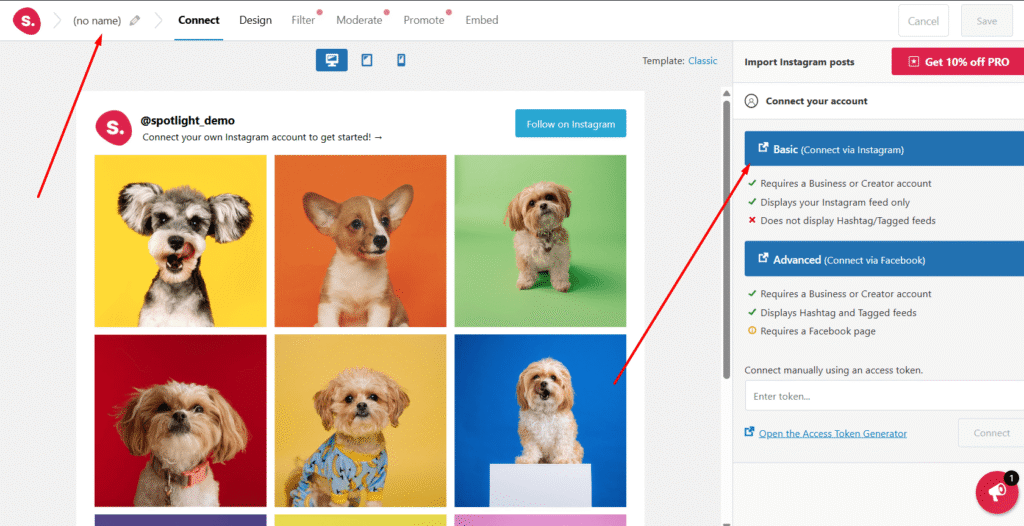
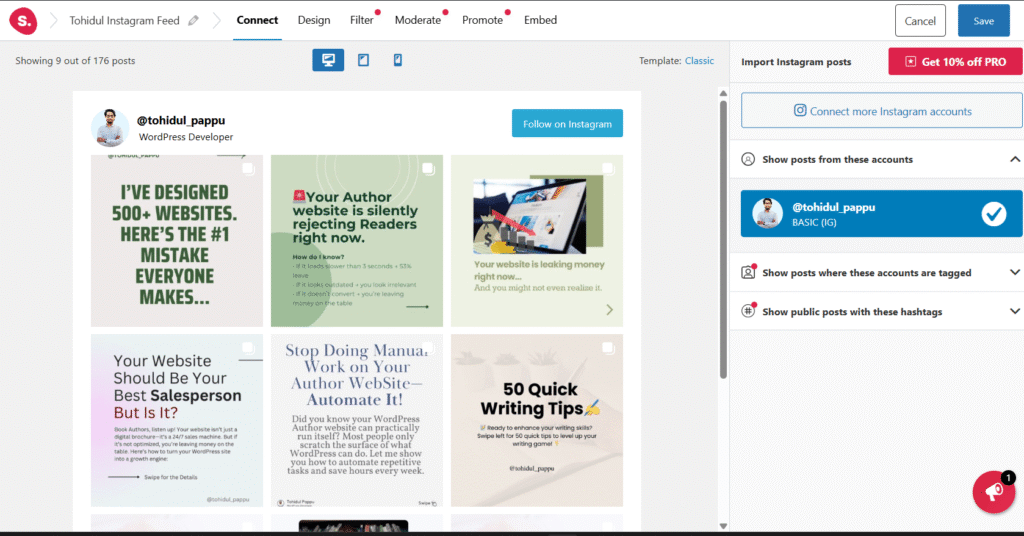
After connecting it, you will get a small popup where you can easily add a profile picture and a new bio that will show on your WordPress website.
Also, there is a Design Settings option where you can change width, height, margin, padding, button color, etc. But many features are not available in the free version, and I don’t think you will need them. But for business purposes, if you need more customization, then you can buy the Pro version.
To get the shortcode, go to Embed and copy the shortcode. Remember to Save the Feed.
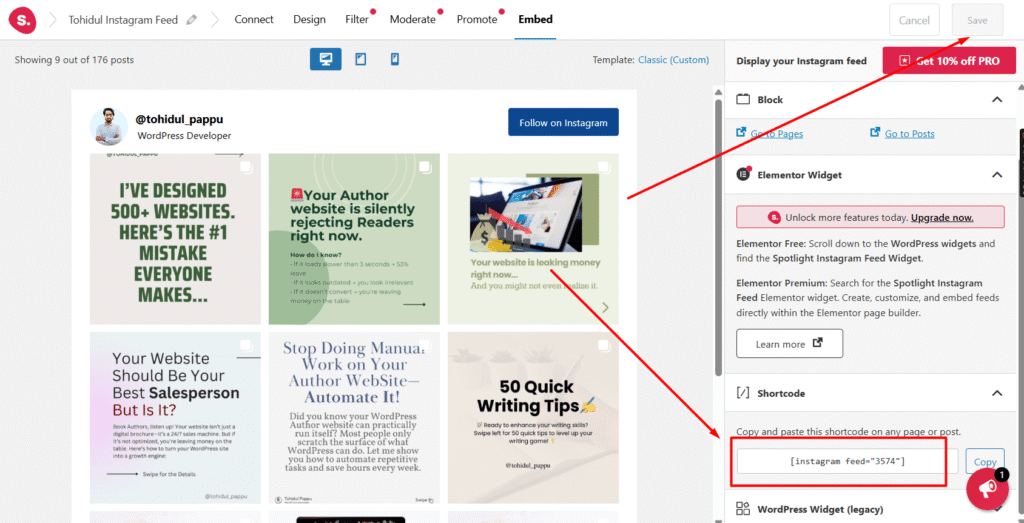
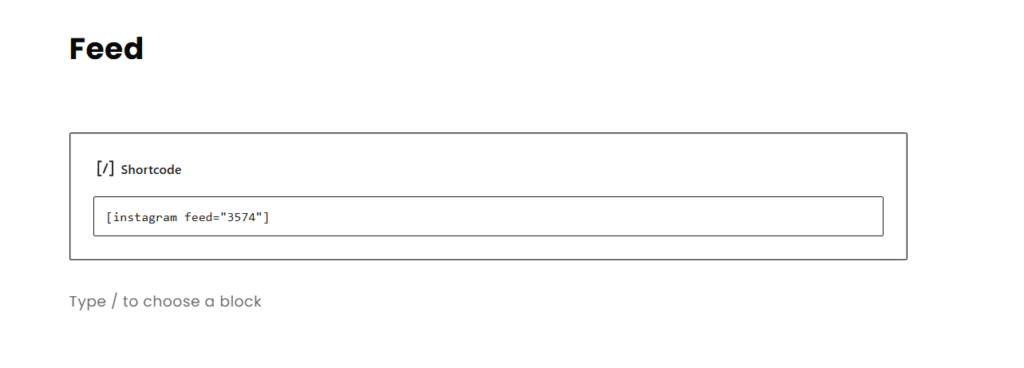
For example, if you want to show it on a page, just paste the shortcode, and the Instagram feed will be shown on the page just like below.

Hope you understand and added your amazing Instagram feed to your amazing website.
Thank you.